
Dear Colleagues,
ORA is pleased to announce the release of a new version of the RAPID Closeout Tool (version dated 10/20/2025). Please download the latest version of the tool, available in the ORA Online Resource Center.
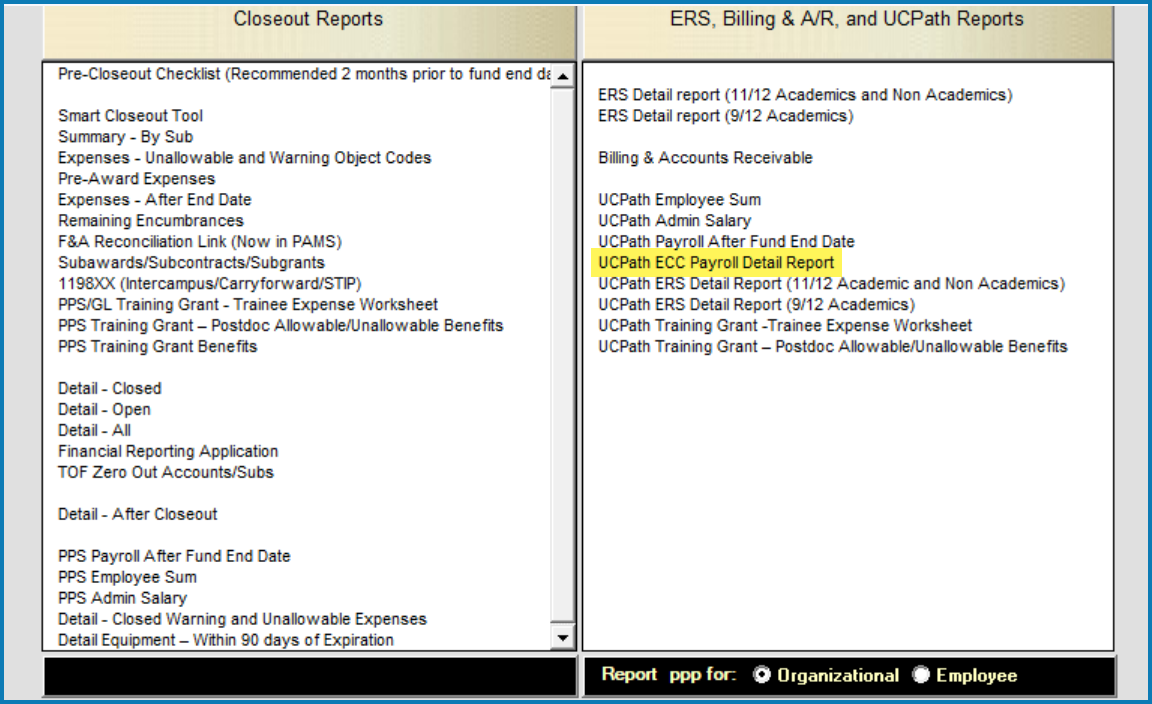
This release introduces the UCPath ECC Payroll Detail Report, developed to assist departments in reconciling salaries and wages listed in Project Statements in the upcoming Employee Compensation Compliance (ECC) system. The report, which is run by FAU, provides a detailed breakdown of payroll transactions charged to that FAU. These transactions are categorized into effort-bearing (included in the project statement) and non-effort-bearing (excluded). Each transaction line also displays the individual payroll percentages that add up to the total payroll percentage field shown in the ECC project statement. More information on the report is included in slides from the Department Administrator Instructor Led Training.
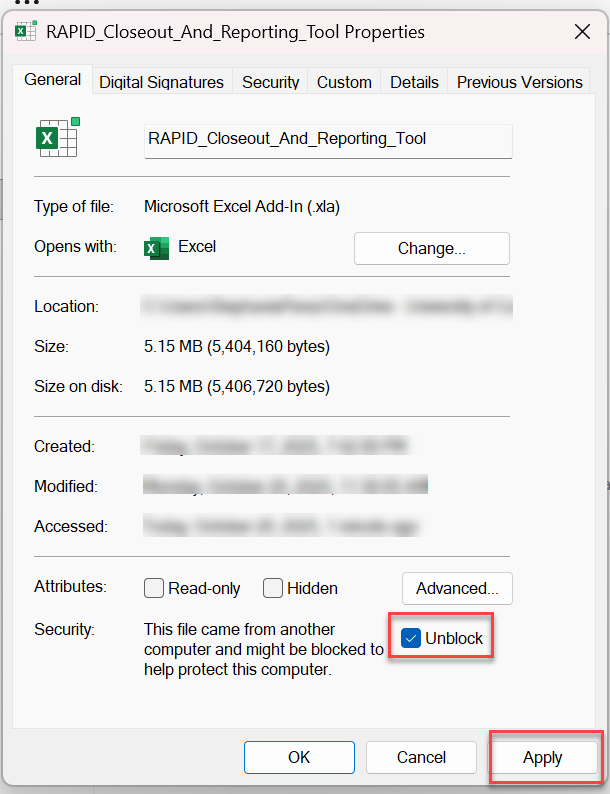
Before the RAPID Closeout Tool can be used with Excel, the .xla add-in file must be unblocked by following the steps below. Refer to the installation instructions that are available with the RAPID Closeout Tool download for more details.
- Right-click the file named RAPID_Closeout_And_Reporting_Tool and select Properties
- At the bottom of the General tab, click the Unblock button or check the Unblock checkbox
- Click the Apply button, then the OK button
If you have any questions about this new RAPID Tool version, contact your EFM accountant.
Thank you,
Katie Cadle, Manager
Extramural Fund Management